
Airbrush (MUSE Extension)1.0.110 - Google Play
You'll be able to see results in few seconds.
Publisher Description
Do not download this if you do not have an application that says "Enhanced by Airbrush" in its market description. This app is not meant to be used by itself. And now... on to the description.
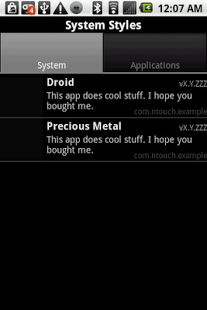
Airbrush is the 2nd Extension in the MUSE for Android series. It provides, to all applications that incorporate MUSE, simple 8 color styles for unification of look and feel. Change the system style in Airbrush, and all "Styleable" apps will use that style.
**Features**
-- Create, Change and Delete Styles through a simple list interface.
-- Set Styles on a per-App basis depending on your own need.
Enhanced by:
-> Tinker - May enable/disable extension
-> Tinker - May enable/disable Airbrush for each Styleable app.
-> Agent - May be contacted via Tinker or Bolt
-> Pigeon - Send Styles via SMS
**Known Issues**
-- Cannot create a style yet. Previous Force Close was a SQLite error. Fixing it took care of the other issues, but the database needs to be tweaked just slightly.
**Developer Information**
Airbrush is a nearly code-less solution that allows for customization of look while maintaining the utmost in flexibility. A "Stylable" app uses the Style the user chooses in the way that the developer sees fit. This helps to create pseudo-conformity without inhibiting originality.
A "Styleable" app also has the ability to register and recommend a style by inputing it into Airbrush's database. This gives the developer the ability to hint to the user what might be a desirable scheme.
-- Market your app by suggesting as many Styles as desirable.
-- Apply system Style in the manner that you wish, without being bogged down by other theme elements.
-- If Airbrush is not installed, your app simply uses the Style or properties that you defined when you programmed the application.
-- Add styles via Android manifest through the use of structured meta-data tags.
-- Import and Forget library gives access to all MUSE Extensions without requiring. In fact, our MUSE Extensions use the same library to access themselves that your app would use to access them.
-- A development key for Airbrush is just $15. You may also develop your app and try it for free in the debug environment.
-- NOTE: Airbrush is not a skinning solution, though it may make modifications to graphics should the developer desire. For a skinning solution, keep your eyes out for Ensemble coming out early next month.
About Airbrush (MUSE Extension)
The company that develops Airbrush (MUSE Extension) is nTouch Software, LLC. The latest version released by its developer is 1.0.110.
To install Airbrush (MUSE Extension) on your Android device, just click the green Continue To App button above to start the installation process. The app is listed on our website since 2012-02-09 and was downloaded 0 times. We have already checked if the download link is safe, however for your own protection we recommend that you scan the downloaded app with your antivirus. Your antivirus may detect the Airbrush (MUSE Extension) as malware as malware if the download link to com.ntouch.MUSE.Airbrush is broken.
How to install Airbrush (MUSE Extension) on your Android device:
- Click on the Continue To App button on our website. This will redirect you to Google Play.
- Once the Airbrush (MUSE Extension) is shown in the Google Play listing of your Android device, you can start its download and installation. Tap on the Install button located below the search bar and to the right of the app icon.
- A pop-up window with the permissions required by Airbrush (MUSE Extension) will be shown. Click on Accept to continue the process.
- Airbrush (MUSE Extension) will be downloaded onto your device, displaying a progress. Once the download completes, the installation will start and you'll get a notification after the installation is finished.
Program Details
System requirements
Download information
Pricing
Version History
version 1.0.110
posted on 2012-02-09
version 1.0.110
posted on 2012-02-09
Several fixes and updates
Disclaimer
Official Google Play Link
We do not host Airbrush (MUSE Extension) on our servers. We did not scan it for viruses, adware, spyware or other type of malware. This app is hosted by Google and passed their terms and conditions to be listed there. We recommend caution when installing it.
The Google Play link for Airbrush (MUSE Extension) is provided to you by apps112.com without any warranties, representations or guarantees of any kind, so access it at your own risk.
If you have questions regarding this particular app contact the publisher directly. For questions about the functionalities of apps112.com contact us.
